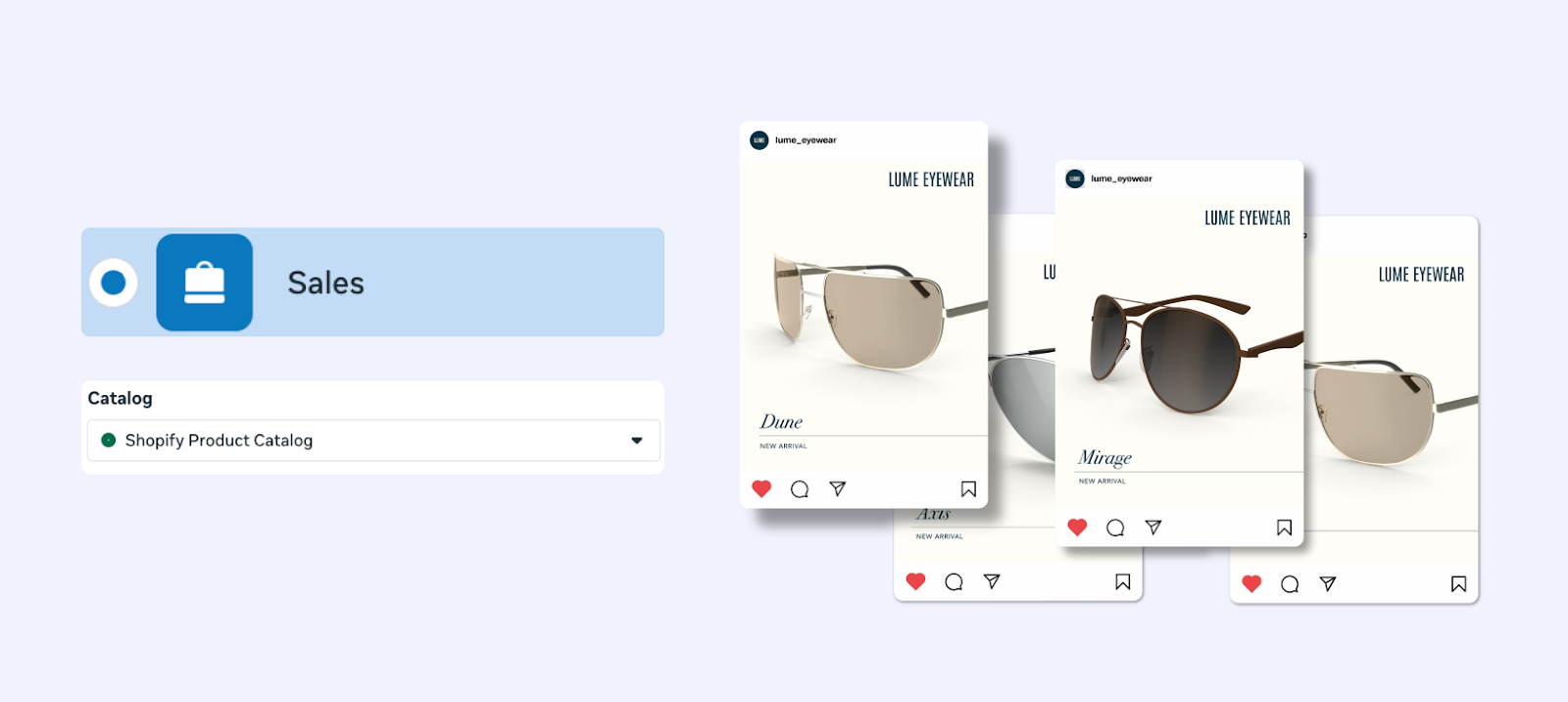
Build and optimize Instagram product feeds for Shopping and catalog ads. Covers setup requirements, imagery, product sets, diagnostics, and best practices.
Ever since its creation, Instagram has evolved into a full commerce engine. Your Instagram product feed turned into a single source of truth that powers shoppable posts, stories, and other catalog-driven ad format. Because the catalog lives in Meta’s Commerce Manager, the same feed also fuels Facebook, so one setup unlocks two big ad channels and can be extended to others with the right mapping. This guide shows you how to set up, optimize, and scale your product feed in a way that drives both organic discovery and paid performance.
How Instagram Product Feeds Work
Meta Commerce Manager stores your product catalog. You upload or sync a feed, enable Instagram Shopping, tag products in content, and run catalog campaigns in Ads Manager. Meta then serves the most relevant products to each person based on browsing behavior and intent. One feed powers organic surfaces (Shop tab, product tags, product detail pages) and paid placements (Feed, Stories, Reels, Explore) without maintaining separate catalogs.
Requirements and Readiness Checklist
Instagram Business or Creator account in a supported market
Compliance with Instagram Commerce Policies and ad policies
Physical products (not services or pure digital goods)
Facebook Business Manager with a connected Meta Commerce Manager catalog
Verified domain and payment details configured in Commerce Manager
Reliable image hosting on HTTPS with fast load times
Inventory and pricing that can be updated at least daily, preferably via API or scheduled fetch
Platform integration: Shopify, WooCommerce, BigCommerce, or other supported platforms
Scheduled feed: XML or CSV hosted on HTTPS with automatic fetches
Manual upload: CSV/XML upload inside Commerce Manager for small catalogs
Catalog API: programmatic control for large or frequently changing catalogs
Assign catalog ownership to the right Business Manager and ad accounts.
Configure shipping and tax if applicable for in-app checkout in supported regions.
Map product sets early (for campaigns) based on price tiers, audiences, lifecycle, or visual style.
Feed Fields That Matter Most
Required fields: id, title, description, availability, condition, price with currency, product page link, main image link, brand. Recommended fields: additional_image_link (multiple), sale_price, product_type, google_product_category, color, size, material, gender, age_group, item_group_id for variants, and custom_label_0-4 for segmentation. Quality rules: keep titles under 70 characters, descriptions clear and benefit-led, and prices synced to your landing pages. Use HTTPS for all image links, with fast response and no redirects that break.
Imagery Standards for Instagram
Instagram is visual-first. Use high-resolution assets (at least 1200 x 1200 for feed) and provide vertical crops for Stories and Reels (9:16). Pair lifestyle images with product-on-white so Meta can choose what performs best per placement. Keep backgrounds clean, lighting consistent, and show multiple angles. Provide three to five images per SKU where possible through multiple additional_image_link entries.
Connect Instagram Shopping
In Instagram Settings > Business, choose Shopping, connect your catalog, and submit for review. Approval is typically one to three business days. After approval you can tag products in posts, Stories, and Reels and display a Shop tab that surfaces products directly from your feed. Keep availability accurate; out-of-stock items degrade user trust and delivery.
Run Instagram Catalog Ads
In Ads Manager, choose the Catalog Sales objective, select your catalog, and pick placements across Feed, Stories, Reels, and Explore. Build Product Sets aligned to campaigns, such as new arrivals, best sellers, seasonal, or margin-based segments. Use dynamic templates for speed, or custom creative when branding needs tighter control. Start with automated placements to gather data, then refine based on performance.
After uploading your product feed, set up and launch your Instagram catalog ads on Ads Manager.
Optimize for Discovery and Conversion
Titles: write for humans. Aim for 50–70 characters, include product type, key differentiators like color or size, and brand when it adds trust. Example: “Linen Midi Dress - Sage Green, Small.” Avoid keyword stuffing. Descriptions: lead with benefits and core specs; keep the first 140 characters impactful because truncation can occur. Prices and promos: use sale_price with effective dates instead of overwriting base price; keep currency codes consistent. Availability: sync stock status frequently; nothing erodes trust faster than showing out-of-stock items. Images: supply both lifestyle and clean cuts; square for feed, vertical for Stories/Reels.
Product Sets That Actually Perform
Visual appeal: highly visual items, lifestyle-first items, or products that photograph exceptionally well
Price tiers: under $50, $50–$100, premium; align bids and creative to intent
Audience fit: Gen Z, Millennial, universal; match tone and creative accordingly
Lifecycle: new arrivals, best sellers, clearance, seasonal capsules
Performance: Instagram top converters, needs-push items, or products tested on other platforms (for example, winners from your Google Merchant Center feed)
Creative Approaches for Instagram Formats
Single Image Ads: feature hero products with clear title, price, and CTA. Best for new drops and proven winners. Carousel Ads: tell a story across 3–8 cards; great for outfits, bundles, or themed collections. Collection Ads: combine a cover image or video with a product grid for immersive browsing; ideal for lifestyle categories. Dynamic Product Ads: retarget site or app visitors with exact products viewed; pair with broad audiences to reach new shoppers. Stories and Reels Ads: use vertical, mobile-first creative, quick value props, and “swipe up” or “tap” prompts. Highlight urgency or social proof.
Leverage Instagram Features with Strong Feed Data
Product Stickers in Stories pull image, name, and price from your feed; keep these pristine. The Shop tab benefits from organized collections, refreshed seasonals, and high-quality cover images. Reels need vertical lifestyle visuals and concise overlays. Product detail pages on Instagram inherit your feed data; make sure titles, prices, and availability are always synchronized.
Multi-Platform Strategy
The same Meta catalog powers Facebook, Instagram, Messenger, and Audience Network. With proper field mapping you can reuse the master feed for other channels like Pinterest and TikTok while tailoring creative. If you already run Facebook product feeds, extend the same governance to Instagram. If you manage shopping elsewhere, apply learnings from your TikTok product feed or WooCommerce feed setup to keep governance consistent. For formatting references, see our Product Feed Example article.
Measurement and Diagnostics
Track delivery and engagement by placement (Feed, Stories, Reels, Explore) and by Product Set. Monitor CTR, CPA, ROAS, and view-through conversions. In Commerce Manager and Ads Manager diagnostics, watch for: missing images, price or availability mismatches, policy flags, broken links, slow landing pages, or currency errors. Fix issues quickly to restore delivery and quality ranking.
Common Errors and How to Fix Them
Image issues: low resolution, wrong aspect ratio, missing alt angles. Fix with larger, square and vertical assets, plus multiple angles.
Price mismatches: feed price differs from landing page. Sync via API or scheduled fetch and use sale_price for promos.
Availability mismatches: showing in-stock when sold out. Increase update frequency; real-time inventory is ideal.
Broken links: outdated product URLs or redirects that fail. Validate links regularly and avoid long redirect chains.
Policy violations: restricted products or non-compliant text. Review Commerce Policies and remove or edit flagged items.
Variant confusion: missing item_group_id, size, or color. Provide full variant data and variant-specific images.
Testing Plan
Titles: test benefit-led vs attribute-first phrasing.
Images: lifestyle vs product-on-white; add social proof overlays sparingly for ads.
Product Sets: best sellers vs new arrivals vs margin tiers.
Placements: start broad, then split Feed vs Stories/Reels based on ROAS.
Promotions: test sale_price promotions with effective dates vs evergreen pricing.
Landing speed: measure page load; slow pages hurt conversion and ad delivery.
Governance and Update Cadence
Inventory and price: update at least daily; for fast movers, multiple times per day or via API.
Images: refresh seasonally and for creative fatigue; add new angles for top sellers.
Titles and descriptions: review quarterly to align with search and browse behavior trends.
Product Sets: rotate based on seasonality, performance, and stock levels.
Diagnostics: check weekly at minimum; daily during peak periods.
Favor lifestyle-first visuals in Reels and Stories; use clean product shots in Feed when clarity matters.
Keep overlays minimal to avoid ad disapproval and visual clutter.
Pair catalog ads with short-form UGC in Reels for higher engagement.
Use Advantage+ placements initially, then carve out high-performing placements once data is stable.
For high-AOV products, use Collection Ads with a strong hero video to educate quickly.
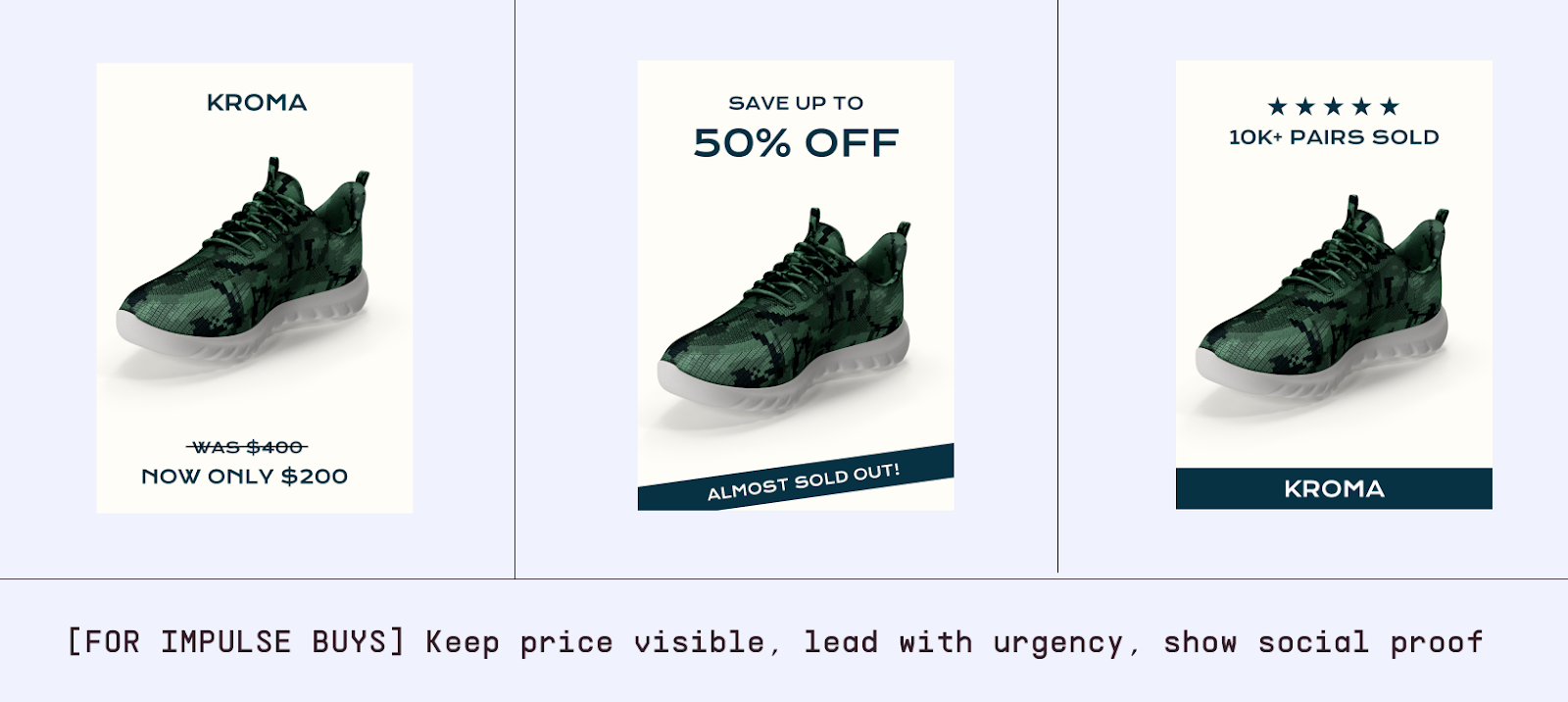
For impulse buys, keep price visible and lead with urgency or social proof.
Strategies that trigger impulse buys in Instagram ads
Integrating Insights from Other Channels
Lessons from your Google Merchant Center feed can inform attributes and taxonomy. Insights from Facebook feed performance can guide which Product Sets to prioritize on Instagram. TikTok winners may indicate which creatives resonate with younger audiences; mirror those in Reels with vertical assets. WooCommerce or Shopify plugins used for other feeds can help maintain consistent data quality and scheduling across platforms.
Best Practices Checklist
Maintain one master catalog and format per channel.
Supply multiple images per product, mixing lifestyle and clean backgrounds.
Keep titles concise, human-readable, and tailored for browsing.
Sync pricing and availability daily or more often; use sale_price for promos.
Segment with custom labels by price, audience, performance, or visual appeal.
Test Product Sets, creative variants, and placements regularly.
Monitor diagnostics weekly (daily during peak) and resolve errors fast.
Reuse learnings from other channels and keep taxonomy consistent.
Ready to simplify everything? Marpipe offers a free product feed management tool that lets you organize once and deploy everywhere, with easy diagnostics and updates across Instagram, Facebook, and other channels. Try it to keep your catalog clean, synced, and performance-ready.
Frequently Asked Questions
Is the Instagram feed different from Facebook’s? No. It is the same catalog in Meta Commerce Manager used on both platforms.
Do I need different images for Stories and Reels? Provide vertical assets for Stories/Reels and square for feed; include both to improve delivery and relevance.
How often should I update the feed? Daily at minimum; multiple times per day for dynamic inventory or frequent pricing changes. Real-time via API is ideal.
How should I handle variants? List every variant with the correct item group, size, color, and a dedicated image. Meta will select the most relevant variant for each user.
How can I lift ROAS? Use strong lifestyle imagery, clear titles, smart custom labels, DPA retargeting, fast landing pages, and ongoing tests of Product Sets, placements, and creative.
Boost ad performance in days with a 7 day free trial.











.png)


.jpg)